AI workflow vs AI agent: what each one really costs

 By Théo P. and Nora A.8 min read
A do-everything AI agent almost always costs more than the same job split into a few narrow steps. How much more comes down to one thing: how many times the agent loops before it finishes. On a quick job, barely any difference. On a long, meandering one, the agent can cost twenty or thirty times as much.
That is the honest version. Here is the number we had to take back first.
The short version
- The cost gap is real, but it depends almost entirely on how many steps the agent takes.
- On a typical support ticket, one agent runs about 19 cents and a split-up workflow about 2 cents.
- Turn on caching and the agent drops to about 9 cents, which cuts the gap in half.
- Short job or open-ended job: build the agent. Repeated job with a knowable shape: build the workflow.
- Reliability and build effort usually matter more than the token bill.
The claim we deleted
An earlier draft of this article said a split-up workflow runs "about ten times cheaper" than a do-everything agent. We deleted it. There was no math behind it and no source, just a number that sounded right.
There is no clean study to replace it with, either. Nobody has published the same real job, built both ways, with the costs measured side by side. Even Anthropic's own guide, Building Effective Agents, gives the topic two sentences and zero dollar figures: agents "trade latency and cost for better task performance," and their autonomy "means higher costs." True, but not a number you can plan around.
So everything below is worked out from stated assumptions you can check, not borrowed from someone else's headline.
Why the agent costs more
One idea explains the whole thing. An AI model has no memory between calls. Every time an agent takes another step, it has to be handed the entire conversation again: the original instructions, every tool it might use, and everything that has happened so far.
So the first loop is cheap. The second loop re-reads the first. The third re-reads the first two. By the eighth loop, the agent is paying to read a growing pile of its own earlier work, over and over. The cost does not add up in a straight line, it snowballs.
A split-up workflow avoids the snowball. Each step gets only what it needs for that one job, does it, and hands a small, tidy result to the next step. Step four never re-reads steps one through three. There is no growing pile.
That is the entire mechanism. Everything else is putting dollars on it.
A real example: support triage
Take a common job. A support ticket comes in, and you want to classify it, look up the customer's account, search your help articles, draft a reply, and check that reply before it goes out.
| Approach | Cost per ticket |
|---|---|
| One do-everything agent | about $0.19 |
| Split-up workflow | about $0.023 |
Built as one agent, that ticket runs about 19 cents. Built as a workflow (four small AI steps plus two ordinary lookups that need no AI at all), the same ticket runs just over 2 cents. Roughly eight times less.
Where does the gap come from? The agent loops about eight times to get through the job, and each loop re-reads a fatter transcript than the last. The workflow does the same real work in four focused steps, none of which carries the others' baggage. Same reply at the end, very different bill. (Prices here use current model list rates; yours will differ.)
A fair note before you bank the eight times: both approaches still have to write the actual reply, and writing costs the same either way. That final draft is a big chunk of the workflow's two cents, and it is why the gap is about eight times, not about eighty.
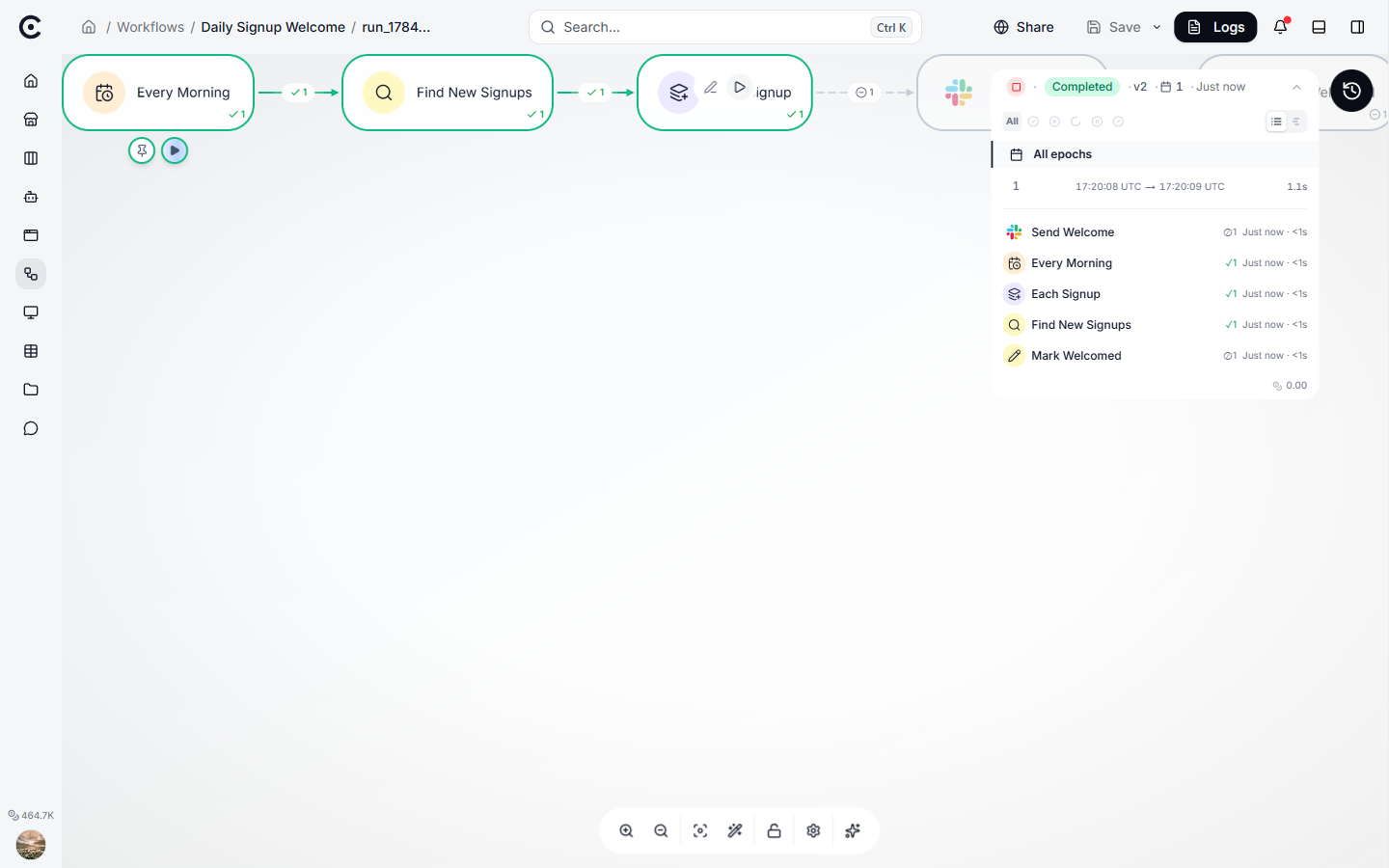
A finished workflow run, step by step, with timing and cost against each one. The same per-step view is what makes the bill explainable instead of one lump sum.
It mostly depends on how many steps
The eight-times figure is not a law. It is what you get when the agent takes eight loops. Change the number of loops and the whole picture changes.
| Steps the agent takes | Roughly how much more the agent costs |
|---|---|
| 2 | about the same (1.3x) |
| 8 | about 8x more |
| 20 | about 37x more |
Read that table as the real headline. A cost multiple with no step count attached is meaningless. If someone quotes you "agents cost 10x", your first question should be: on a job that takes how many steps?
There is a fairness catch here too. The bottom row only counts if the job genuinely needs twenty steps. An agent that flails through twenty loops to do what a clean workflow does in four is not expensive, it is lost, and that is a quality problem before it is a cost one.
When one agent is the right call
Splitting a job up is not always the win, and pretending otherwise would be its own sales pitch.
| Situation | Build this | Why |
|---|---|---|
| Short job, two or three steps | One agent | The gap is tiny and a workflow costs real setup time |
| Open-ended work you cannot script | One agent | You do not know the steps until you are in it |
| Every step needs the same big document | One agent | A workflow ends up re-sending it at every step |
| Repeated job with a knowable shape | Workflow | Volume repays the structure, quickly |
| Anything that must never improvise its route | Workflow | The branches are fixed, not chosen at runtime |
On the open-ended case, autonomy genuinely buys results: Anthropic found a team of agents working in parallel beat a single agent by about 90% on hard research questions, while burning far more tokens to do it. When the answer matters more than the bill, pay for it on purpose.
Cache the agent, and the gap shrinks
Here is the concession most "workflows are 10x cheaper" pitches quietly skip. That snowball of re-reading has a standard fix, called caching: the provider lets the model re-read text it has already seen at a steep discount instead of full price.
Cache the agent properly and its cost on our example drops from about 19 cents to about 9 cents a ticket. The gap against the workflow falls from roughly eight times to under four. Still a gap, but a much smaller one, and an honest comparison has to price the agent this way rather than against its worst, uncached self.
Two things caching does not do. It does not help much on very short steps, because there is a minimum size below which the discount does not apply. And it does not shrink the conversation, only the price of re-reading it, so a runaway agent can still fill its context window and start losing the plot.
The part that actually decides it
Step back, and the cost gap, real as it is, is rarely what should decide the call.
Two other numbers usually swamp it. The first is reliability: if one approach succeeds more often, and somebody has to clean up every failure by hand, even a small edge in success rate is worth far more than a few cents per ticket. The second is build effort: a tidy multi-step workflow takes real work to build and maintain, while a single agent wired to a few tools is much faster to stand up. At thousands of tickets a day, the workflow repays that quickly. At a few dozen, it never will.
So the order of questions is: does the job have a knowable shape, will you run it at volume, and which approach fails less? Only after those does the cost multiple matter, and by then it usually just confirms what the first two already told you.
Questions people ask
Is a workflow always cheaper than an agent?
No. On a two-step job the difference is close to nothing, and if every step needs the same large document, the workflow can cost more because it re-sends that document each time.
Why does an agent get more expensive as it goes?
Because it carries its whole conversation into every new step. Step eight pays to re-read steps one through seven, so the later steps are the expensive ones.
Does caching make agents as cheap as workflows?
It halves the gap in our example, it does not close it. Caching lowers the price of re-reading, but the agent is still re-reading far more text than any single workflow step.
How do I work this out for my own job?
Measure three things before quoting yourself any number: the real size of your prompts and data, how many steps the agent actually takes on real work (your logs know), and how often each approach succeeds. The cost gap follows from those.
Can I mix the two?
Yes, and most good systems do. Fix the structure as a workflow and let a small agent handle the one step that genuinely needs judgment.
For the curious
The one line of math behind the snowball: an agent's total reading grows roughly with the number of steps multiplied by itself, while a workflow's grows in a straight line. That is why the two pull further apart the longer the job runs.
What to do next
Pull the step count for one real job out of your logs, then read the table above against it. Whichever shape you pick, put a ceiling on it first: how to cap what an agent can spend.
Turn your niche data into a working automation
Describe the job in chat and Trinyx builds the workflow in front of you.
Start free